Canon Pixma cartridges come with an electronic chip that estimates the remaining ink level. When this chip considers the cartridge empty, the printer blocks printing, even if there is still ink inside. Resetting involves bypassing or resetting this counter to resume printing.
Canon electronic chip: why the printer blocks printing
The chip soldered onto each PG or CL cartridge does not directly measure the ink volume. It counts the number of pages printed and the cleaning cycles of the heads to deduce an estimated level.
This operation explains a common case: the cartridge shows “empty” while there is still usable ink residue. The blockage is software, not physical. The printer simply refuses to start a print cycle until the chip has been reset or replaced.
Before attempting any manipulation, it is necessary to identify the family of installed consumables. Pixma models with refillable tanks (G series, like the Pixma G3590) use GI-51 bottles and a separate MC-G07 maintenance cartridge. The procedures described for PG/CL cartridges with chips do not apply to these models. Knowing how to reset a Canon Pixma ink cartridge therefore first requires checking what type of consumable your printer is equipped with.
Canon Pixma reset by the Stop button: the manual method
Most Canon Pixma printers with PG/CL cartridges offer an integrated software bypass. When the message “Unknown ink level” or “Empty cartridge” appears, the manipulation relies on the physical button of the printer.
Steps for the manual procedure
- Press the “Stop,” “Resume,” or “Red Triangle” button (depending on the model) for about ten seconds, until the light blinks or the message disappears.
- Release the button and wait for the printer to return to ready mode. Printing becomes possible again.
- If multiple cartridges are reported empty, repeat the operation for each one separately.
The printer will no longer display the estimated ink level after this manipulation. You are printing “blind”: monitor the quality of the prints to detect when the cartridge is actually empty.
This method does not modify the chip itself. It simply instructs the printer’s firmware to ignore the counter. Upon the next removal of the cartridge, the message may reappear.
Canon chip resetter: operation and limitations
For a permanent reset of the counter, a dedicated tool exists: the chip resetter (or “resetter”). This small electronic device reprograms the chip directly on the cartridge.
How the resetter works
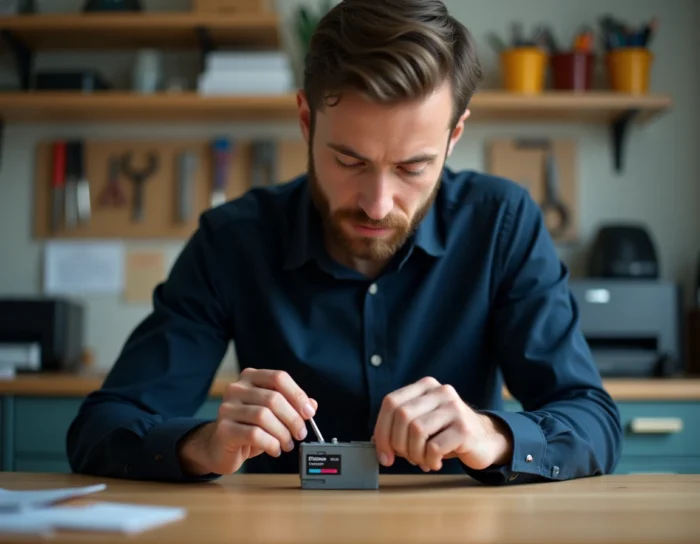
The cartridge is placed in the resetter with the chip oriented towards the metal contacts of the device. A slight pressure maintains the contact for a few seconds. When a red light comes on the chip, the reset is complete.
The guide for the Canon 520 resetter (documented by 123encre.be) specifies a technical point often overlooked: the tool only works with original Canon chips. Compatible cartridges equipped with third-party chips, or “SETUP” cartridges supplied with the printer, are not supported. Check the exact reference of your cartridges before investing in a resetter.
Cartridges compatible with an adapter
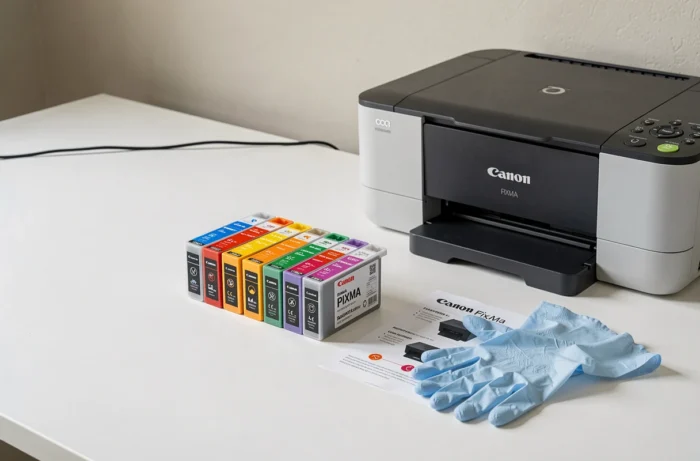
Some resetters include a removable adapter to handle different cartridge widths. PGI cartridges (thicker, like the PGI-520BK) fit without an adapter. CLI cartridges (narrower, like the CLI-521) require the adapter to properly align the chip with the contacts.
Never force a cartridge into the resetter. A misalignment can damage the chip contacts without triggering the reset.
Canon firmware updates: the trap after reset
A successful reset can be undone by a printer firmware update. Feedback from specialized retailers indicates that a Canon printer may refuse a batch of compatible cartridges after an update, even though that same batch worked previously.
The phenomenon is described as less frequent with Canon than with some competitors, but it is not nonexistent. After an update, the new version of the firmware may tighten compatibility checks for the chips.
Should automatic updates be disabled?
The firmware management interface varies by Canon Pixma models. The option to disable automatic updates is not always available in the menus. On some models, only a manual update remains possible, which limits user control.
If your current setup works with refilled or reset cartridges, the most reliable precaution is not to initiate a firmware update as long as printing proceeds normally. A firmware update does not improve print quality: it fixes bugs or modifies the management of consumables.
Canon Pixma maintenance cartridge: a different reset
On Pixma models with tanks (especially G series), the maintenance cartridge absorbs residual ink from cleaning cycles. When it is full, the printer stops with a specific error code.
The reset procedure for this cartridge does not go through the Stop button or a standard resetter. It requires a manipulation specific to the model, often described in the Canon user manual. Confusing a PG/CL ink cartridge with a MC-G07 maintenance cartridge leads to applying the wrong procedure without results.
Before any intervention, precisely identify the code of the cartridge in question. PG and CL references designate ink cartridges with chips, while MC references designate maintenance cartridges. This distinction entirely determines the method to follow.